Connected in minutes. Synced on your say-so.
Add a channel, install the plugin, and paste one pairing code. The wizard walks you through every step, no technical setup needed. Then map your catalog once and push approved changes whenever you decide.
The channel work, without the channel chaos.
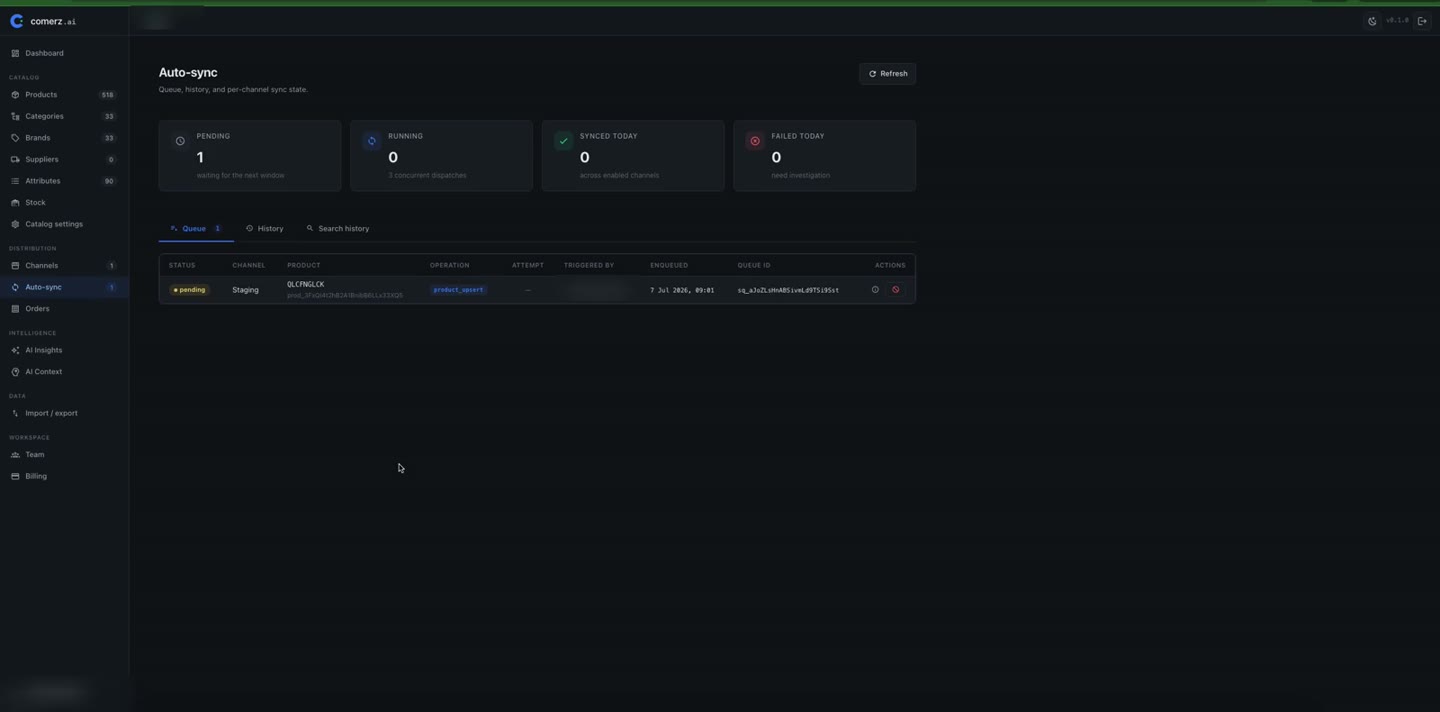
A queue you can read
Pending, running, done, or failed. Every sync is visible per product and per channel, with timestamps.
One-time store pairing
Connect your store to Comerz.ai with the Comerz bridge and a one-time pairing code. It takes minutes to set up, and it stays connected.
Mappings per channel
Match your categories, brands and attributes to each channel once. Every sync after that uses the mapping you approved.
Let the AI match themPush approved changes
Only changes you've reviewed travel to the store. That covers copy, prices, images and attributes, per product and per channel.
Orders & stock, read-only
Pull recent orders for plain, rule-based signals and see stock as each channel last reported it. No AI credits used.
From paired store to verified sync.
Connect WooCommerce
Add the channel, install the plugin on your store, paste the one-time pairing code.
Confirm settings
Pick languages, currency, and what to import. You choose before anything moves.
Map your catalog
Match categories, brands and attributes to the channel. You only do this once.
Review & sync
Approve what will be sent, watch the queue run, and read what your store answered.
Your store is yours. Sync respects that.
You choose what syncs, either manually or through the auto-sync you switched on. Every push records what was sent and what your store answered. If you delete a synced variant, Comerz.ai offers to disable it on the store first.